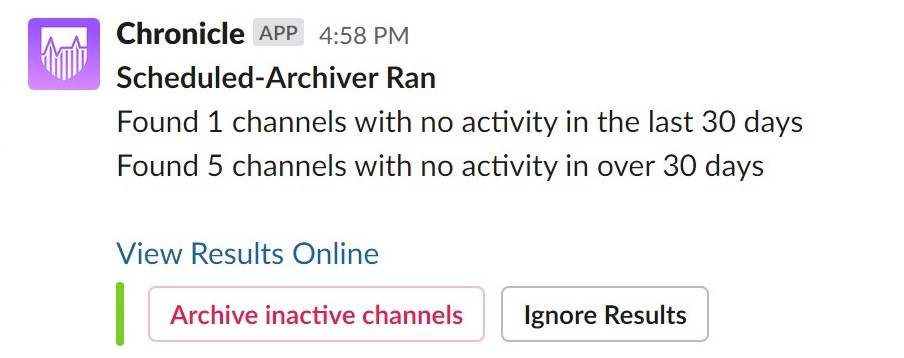
View Results Online opens the report in your web browser, Archive Inactive Channels archives all channels with no activity in over 30 days (in this case, 5 channels), and Ignore Results marks the report as reviewed and ignored.
Channels
Guides, issues, and questions about channel monitoring.
What are scheduled inactive Slack channel reports?
Scheduled Inactive Channel Reports are inactive channel reports sent to #chronicles on a regular basis. A typical report looks like this:
This feature is enabled by default since it's non-intrusive — Chronicle only scans your team and will never archive any channels unless a user explicitly selects Archive Inactive Channels.
To disable this feature, uncheck the Receive weekly inactive channel reports in #chronicles checkbox on the Channels page, then select Save.
To change how often inactive channel reports are sent, select Advanced Options. Use the Interval of Inactive Channel Reports option to set how frequently reports are sent to your Slack team.